The comment ratings feature in Osclass allows users to leave ratings along with their comments on listings. This feature enhances user engagement by enabling buyers to share their feedback while helping other users make informed decisions. Administrators can enable validation on comments to maintain control over ratings, ensuring that spam or fake reviews are not published.
To enable comment ratings, follow these steps:
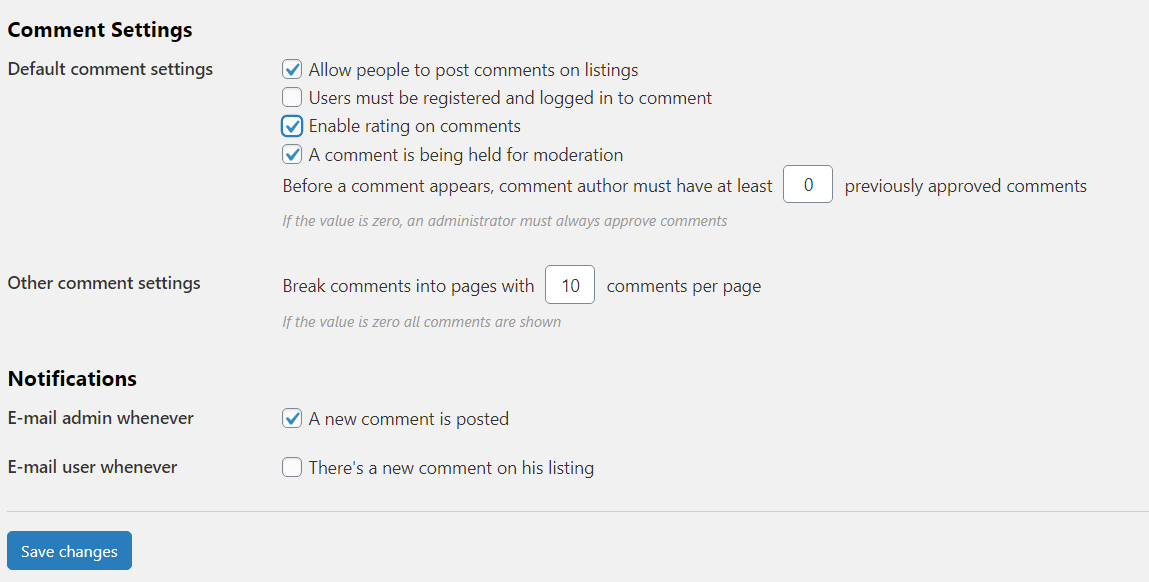
Once enabled, users will see the option to leave a rating when submitting a comment on a listing.
By default, comment ratings work with themes that support Font Awesome icons. Many Osclass themes use Font Awesome 4.x or 5.x, allowing ratings to be displayed as stars.
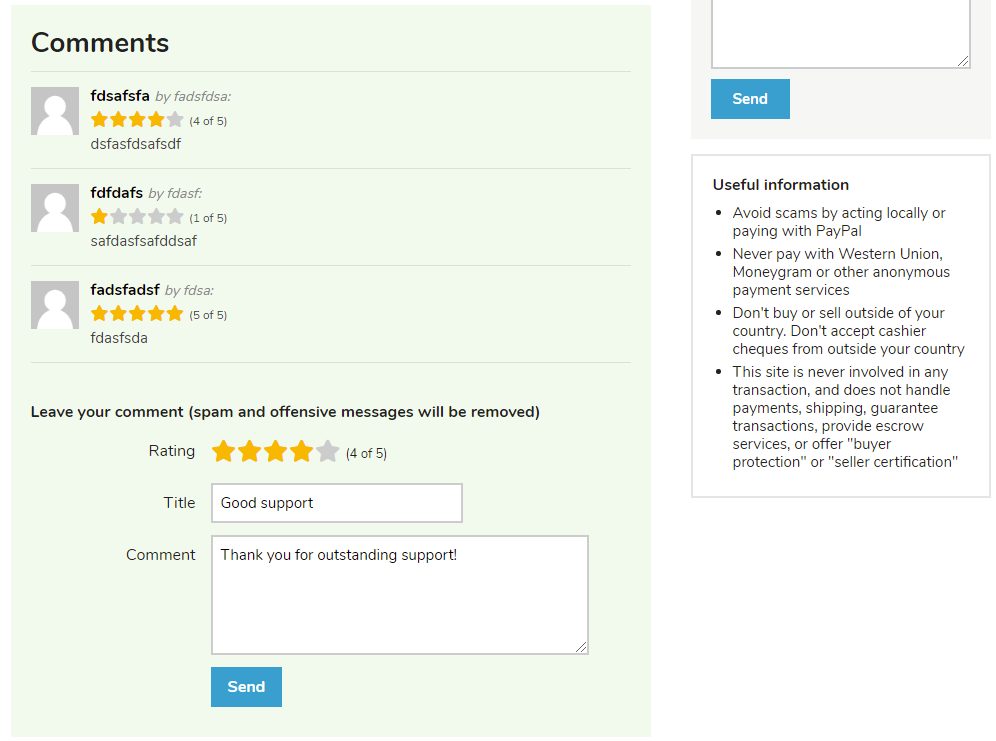
For theme integration, you can check the Sigma theme, which includes all necessary functions for displaying and managing ratings.
To prevent spam or fake reviews, administrators can enable comment validation. This ensures that each rating is reviewed before being published on the site.
To manage and moderate ratings:
This feature enhances user trust and improves the overall experience on your Osclass-powered website.